

SPEND.NET Cards FAQ
ℹ️ How To See The Card Details
How to view the card information: number, expiry date, CVC/CVV, billing address, and name
To view the card information, follow the steps:
1️⃣ Go to the "Cards" tab and select the card:
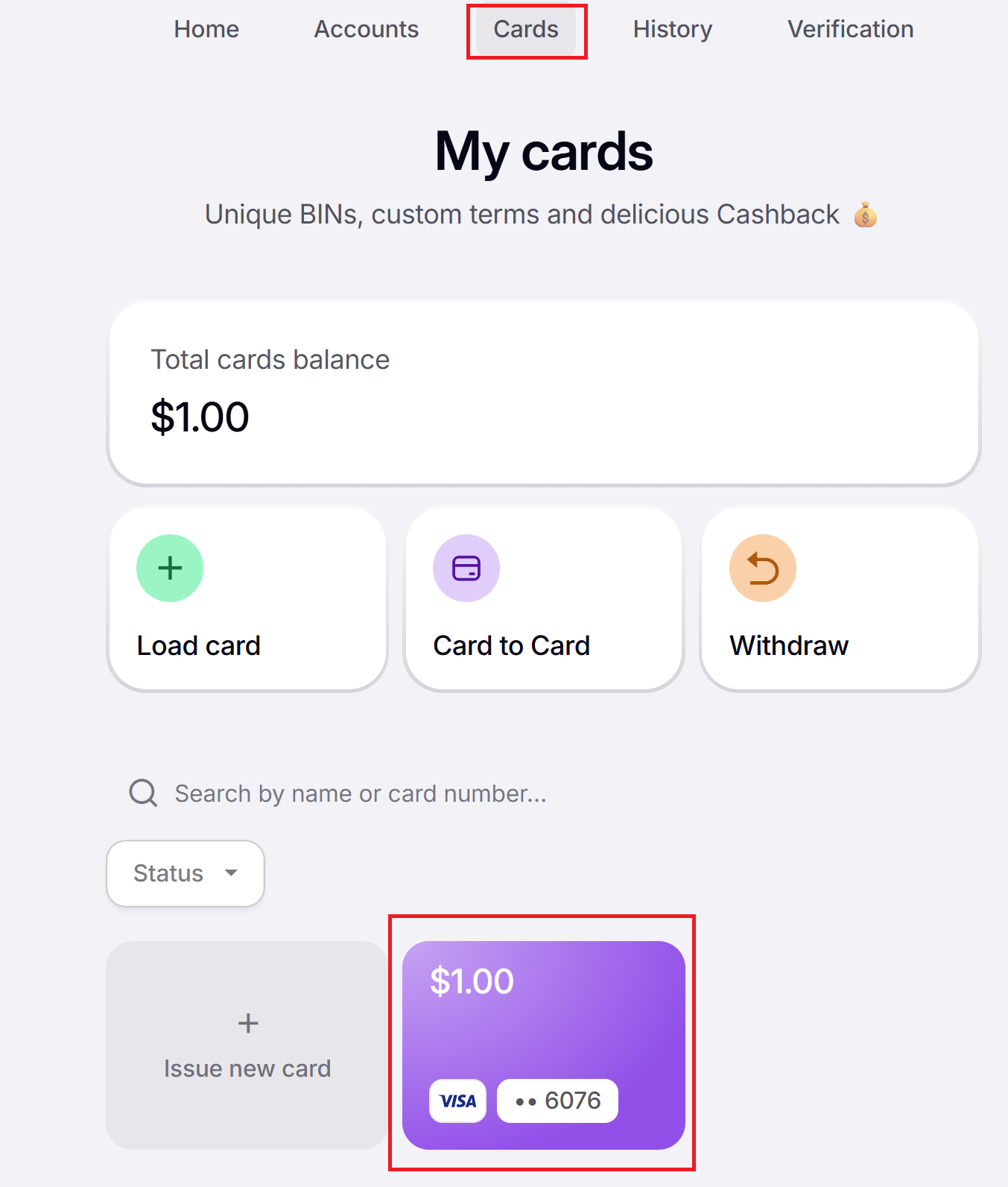
2️⃣ Find the card details and click “Show”:
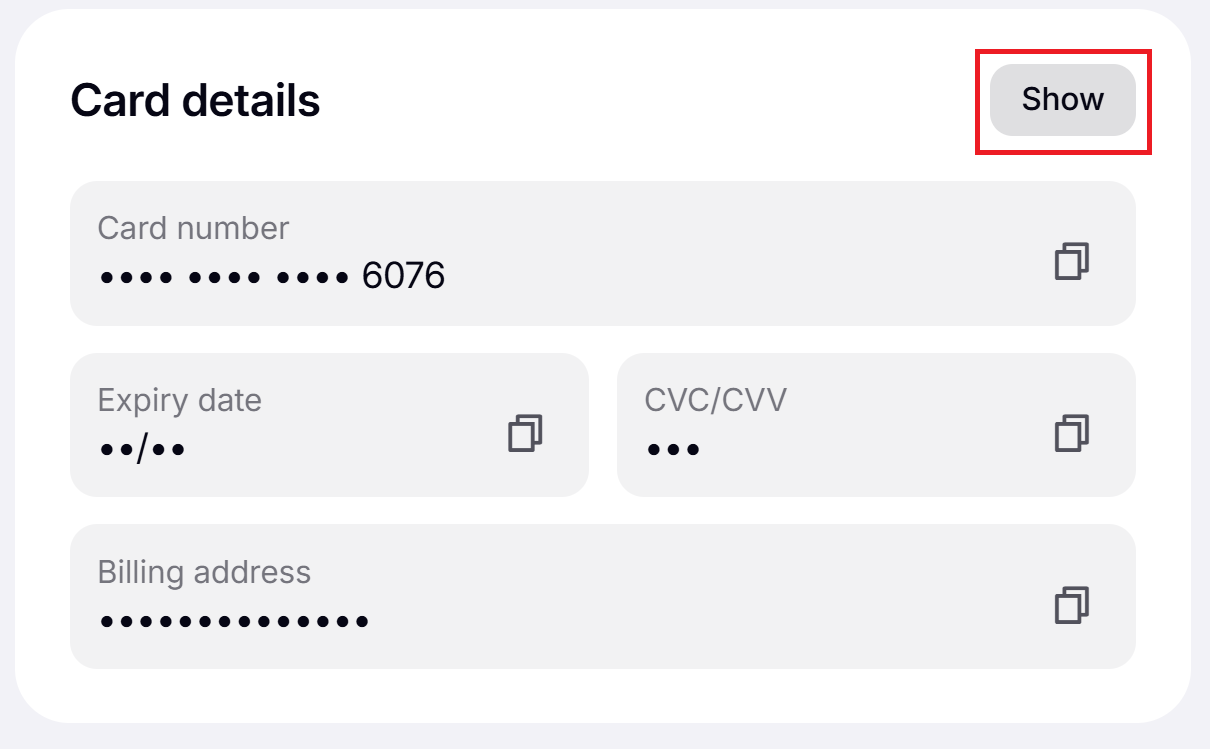
ℹ️ The cards have no name on them. When making payments, please use the name you provided during the verification process on SPEND.NET.