

Teams
👥 Team management
The SPEND.NET Teamwork feature is a great way to bring your team together and simplify financial management.
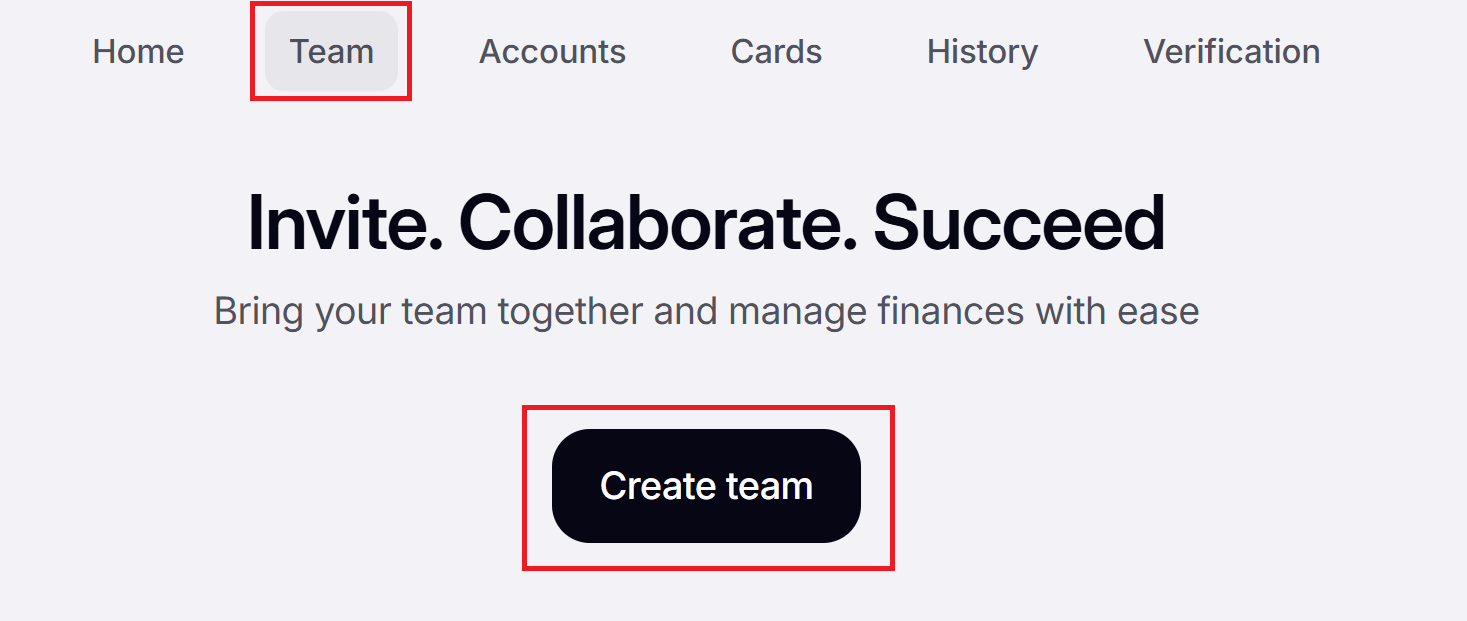
To get started, go to “Teams” and click “Create team”:
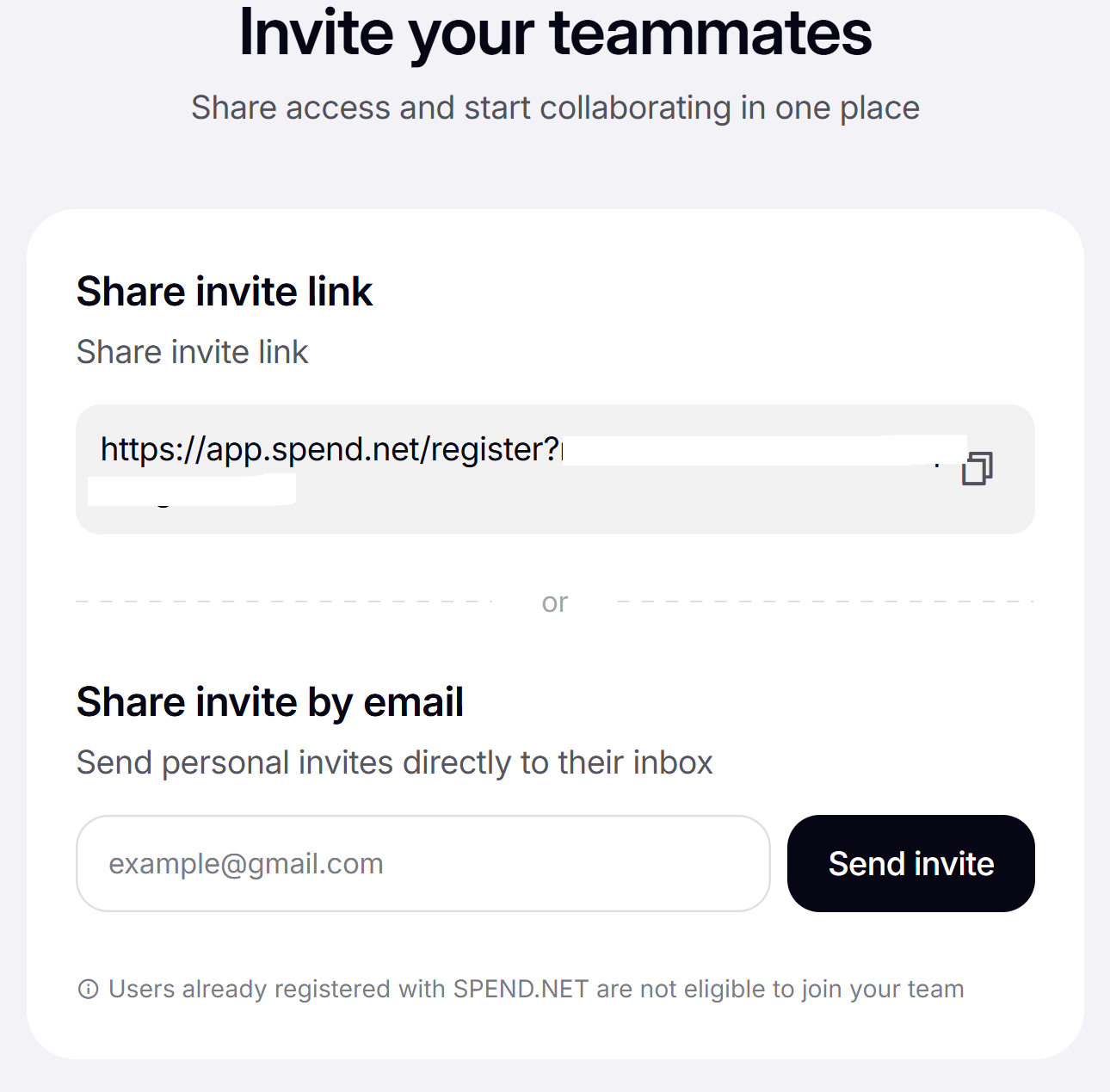
Copy and share your invite link or send it by email:
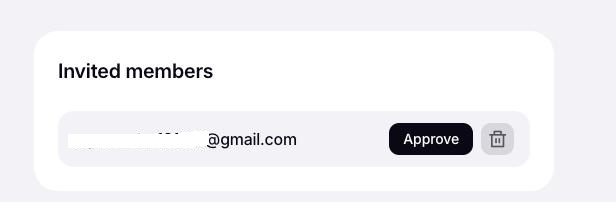
Once your teammate accepts the invitation, you need to approve it in your Master account:
What teamwork tools are available to help your team collaborate effectively
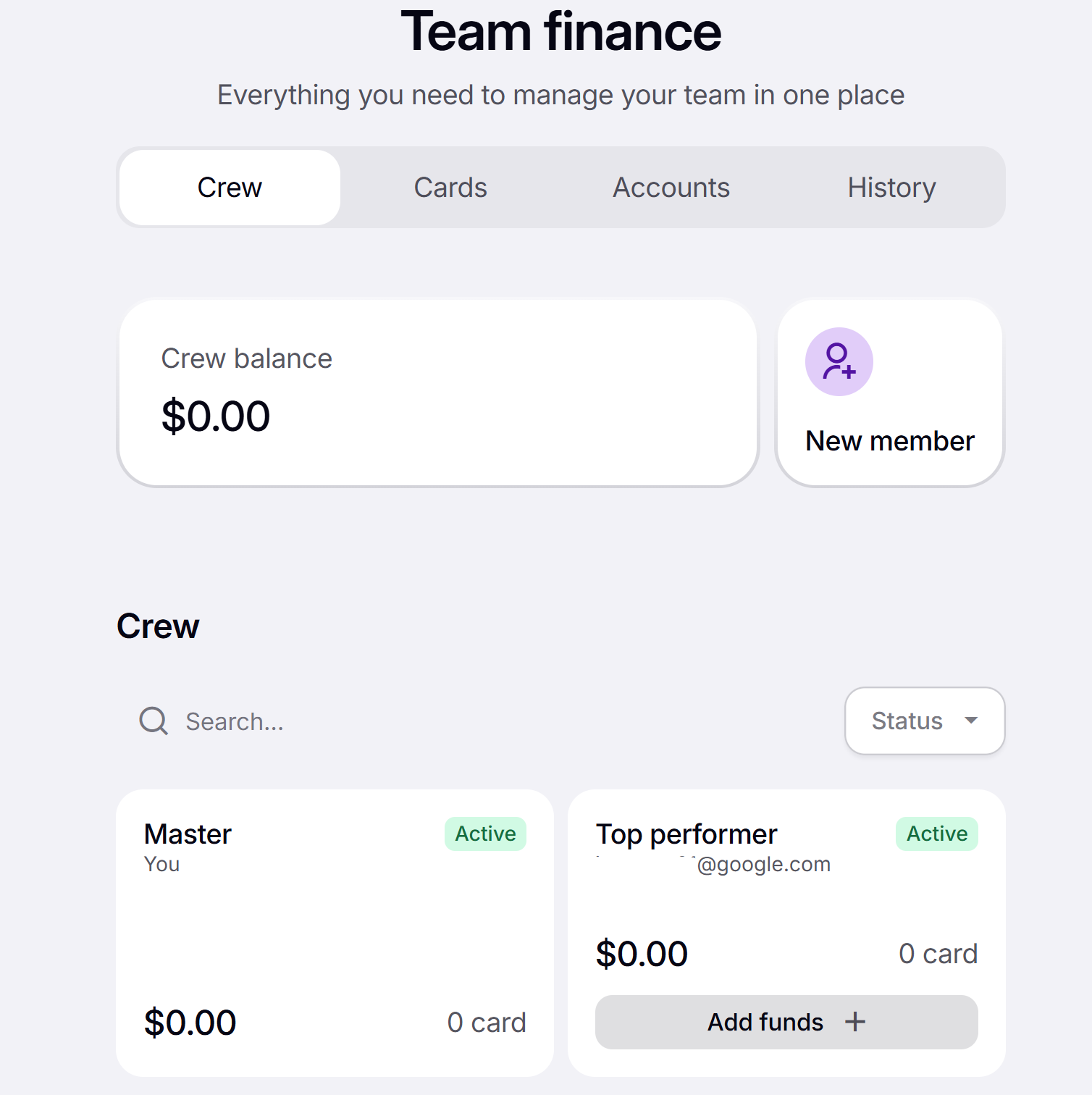
A Master can:
- Manage members’ balances: view the team’s balances and transactions; transfer funds from the Master account to members’ balances and vice versa; and approve members’ requests to top up their accounts.
- Manage cards: send their own cards to members, transfer cards between members, and reclaim cards from members.
- Remove member accounts.
- Purchase the Premium subscription for the entire team: all subscription limits apply to the team collectively.
A member can:
- Request funds from the Master account to top up their balance.
- Manage their own balance: transfer funds between their accounts and cards.
- Issue cards.